In this Photoshop tutorial we'll be creating a highway sign and post using custom shapes, selections, layer styles and a little creative gradient work.
Category: Graphic Design | Comments: 27
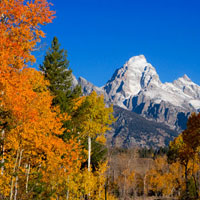
In this Photoshop tutorial I'll show you a quick and easy way to show off your panorama images using Photoshop's Zoomify feature.
Category: Tips & Tricks | Comments: 13
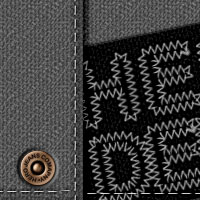
In this Photoshop tutorial we will be creating a Levis style copper rivet while learning a little bit about creating compound bevel Layer Styles. I'm sure there are probably some cool digital scrapbooking ideas this can be used with, or perhaps a website concept with a denim theme.
Category: Graphic Design | Comments: 32
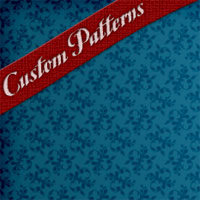
In this Photoshop tutorial we will explore the wonderful world of repeating patterns while creating one from scratch using a Photoshop Custom Shape.
Category: Graphic Design | Comments: 55
In this tutorial we will explore the idea of creating custom (vector) logos in Photoshop. We will explore the idea of font manipulation as well as adding custom shapes to the mix.
Category: Graphic Design | Comments: 35
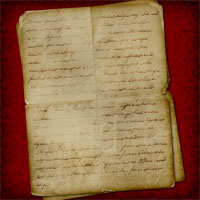
In this Photoshop tutorial I'll show you how to create a Custom Brush using a folded piece of paper and then how to use that brush to create an old piece of paper.
Category: Graphic Design | Comments: 75
In this Photoshop tutorial we will explore the basic technique and options for creating selective focus without the use of a macro lens or fast exposure and the Tilt-Shift effect created by large format cameras and 35mm cameras outfitted with a Tilt-Shift lens.
Category: Photo Effects | Comments: 11
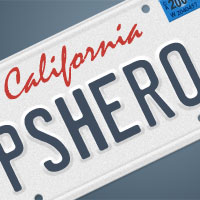
In this Photoshop tutorial I'll show you how to create a custom vanity license plate using a few basic Photoshop tools a piece of reference material and some creative layer stylings.
Category: Graphic Design | Comments: 65
In this Photoshop tutorial we are going to explore some cool ways to use Quick Masks and the Halftone Pattern filter. We will first examine the technique, then I'll show you a few ways to apply it.
Category: Graphic Design | Comments: 15
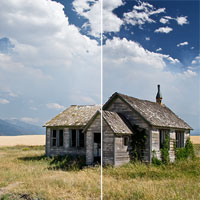
In this Photoshop tutorial I'll show you how to achieve the effect of using a Graduated Neutral Density filter to make a sky more dramatic using one simple Gradient layer and the Soft Light layer blend mode.
Category: Photo Effects | Comments: 34