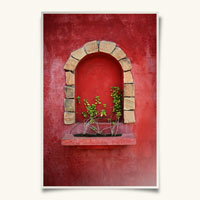
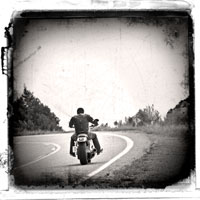
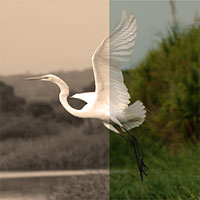
In this Photoshop tutorial I'll show you how to create a cool old photo transfer edge effect using a piece of stock photography, an alpha channel and the burn and dodge tools.
Category: Photo Effects | Comments: 102
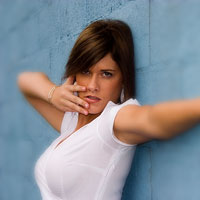
In this Photoshop tutorial we will explore the basic technique and options for creating selective focus without the use of a macro lens or fast exposure and the Tilt-Shift effect created by large format cameras and 35mm cameras outfitted with a Tilt-Shift lens.
Category: Photo Effects | Comments: 11
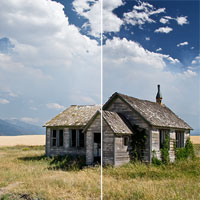
In this Photoshop tutorial I'll show you how to achieve the effect of using a Graduated Neutral Density filter to make a sky more dramatic using one simple Gradient layer and the Soft Light layer blend mode.
Category: Photo Effects | Comments: 34
In this Photoshop tutorial I'll show you how to create realistic reflections on water already present in your favorite photographs.
Category: Photo Effects | Comments: 28
In this Photoshop tutorial I'll show you how to make some cool edge effects using the power of Smart Objects and Smart Filters in Photoshop CS3.
Category: Photo Effects | Comments: 24
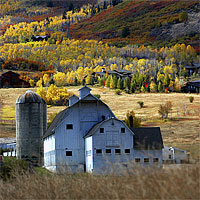
In this Photoshop tutorial you will learn how to create look of Fujifilm Velvia film, specifically the slight over saturation that has made Velvia so popular by landscape photographers through the years when film ruled photography.
Category: Photo Effects | Comments: 19
In this Photoshop tutorial I'll show you a creative and extremely effective way to improve an overexposed image by using Luminosity and the Multiply blend mode.
Category: Photo Effects | Comments: 9
In this Photoshop tutorial I'll show you an easy way to create that old photo "sepia tone" look in just a few basic steps.
Category: Photo Effects | Comments: 6
In this tutorial I will cover the four introductory adjustments that go into a good digital photo. We will be using the Levels, Curves, Hue/Saturation and Selective Color Adjustment Layers.
Category: Photo Effects | Comments: 25