


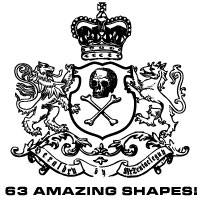
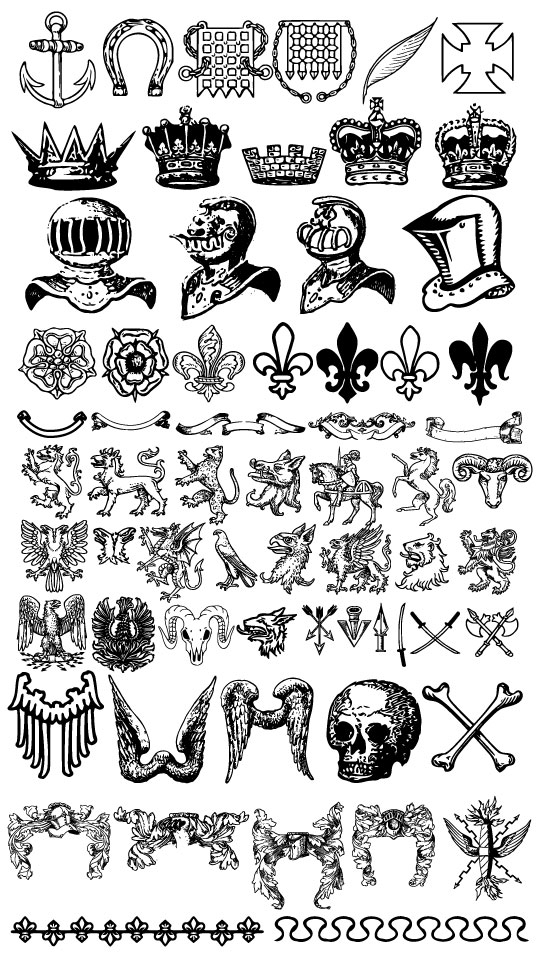
63 Heraldic Shapes
A massive collection of 63 Heraldic Photoshop Custom Shapes.Description: A massive collection of 63 Heraldic Photoshop Custom Shapes.
Creator: These shapes were created by MrTentacleguy at DevaintArt.com.
License: I took this huge .EPS file and imported each object individually from Illustrator to Photoshop to create all 63 Custom Shapes. No licensing stipulations were listed on the source page at DevaintArt and none are expressed here. Enjoy the shapes.
Shape Files + Additional Resources
Download the .CSH Photoshop Custom Shapes file Right Here.
Tell Your Friends
More in Custom Shapes






23 Responses to 63 Heraldic Shapes
Dedra
March 18th, 2008 at 5:58 pm
Thank you for the shapes file.
Casey L. Jones
April 3rd, 2008 at 2:27 pm
These are AWESOME! Thanks for sharing!
zalat
May 30th, 2008 at 4:22 am
Dude your Osame
leonardo
July 14th, 2008 at 11:04 am
MAN!, i really proud of the humanity because we create somebody that can do these things that are shown in this site!
thanks a lot pshero!
i envy you
srry for my bad english, i’m from brazil =x
Kareem
September 4th, 2008 at 7:00 am
THanx for the shapes exactly what i was looking for great work
No Reimer Reason
September 7th, 2008 at 9:33 pm
Thanks for the shapes! I am trying out the wax seal tutorial now. So glad I stumbled across your site. Consider it bookmarked. :-)
freeman
September 10th, 2008 at 9:05 am
…thanks for the CSH file.
SOREAL
September 12th, 2008 at 8:13 pm
thanks for the csh file dude, i really like it so much
N8
September 19th, 2008 at 3:34 pm
I love your work! Thanks for the cool files. Once you download them how do you use them in PS? I am new and loving this stuff but it is slow going, so much to learn! Little help is so appreciated! Thanks
HERO
September 19th, 2008 at 4:29 pm
N8, You’ll now need to load the custom shape set into the Custom Shapes palette. Choose Edit>Preset Manager then choose Custom Shapes from the Preset Type drop down menu. Click the Load button on the left hand side of the dialog and navigate to the custom shape set that you downloaded. Once you’ve selected the .CSH file click Load to add those shapes into your Custom Shapes palette. Now when you click on the Custom Shape tool, choose the blob looking preset and your new shapes will be available in the Shape drop down.
liko
November 15th, 2008 at 2:11 am
thanks for sharing these nice shape.pretty good.
CORNELIUS
January 4th, 2009 at 3:06 am
Thank you!
john
February 1st, 2009 at 9:44 am
thank you
KC
February 12th, 2009 at 1:24 am
dude ur a genius
Rohit
April 6th, 2009 at 9:10 am
ur site is awesome i use ur most photo effects & tips tricks in my real life. it helps me allot & using this i improved myself very much.
Ria
April 19th, 2009 at 2:41 am
I love you…marry me?
Tiago@esterisco.com
April 21st, 2009 at 6:52 am
Awsom work!!
Thanks for the shapes!
Lio
May 13th, 2009 at 2:02 am
Brilliant job, briliiant!!!
AnGo
June 7th, 2009 at 6:45 am
Thanks man! you really heros!
I am from china.
almsafer
October 20th, 2009 at 9:21 am
good shapes ..
thanks
Maxximillian
November 26th, 2009 at 12:04 am
Wow! This is just what I needed! I was about to start sketching!!! Thank you so very much.
Ghimel
November 28th, 2009 at 11:53 am
thanks
Amber
April 17th, 2010 at 7:30 pm
Gorgeous! Thanks!